Guide · Events · LED rental
Renting an LED wall? 8 things the price list leaves out
Two P2.6 walls of the same size can be very different screens. What to ask before you compare prices, from the walls we rent and run ourselves.
Most LED rental price lists in Los Angeles give only the pixel pitch, indoor or outdoor, and the size. Those do not decide what the audience or the camera sees. Before comparing prices, ask for the brand and model of the cabinet, the refresh rate (camera work needs 7,680 Hz, not 3,840 or 1,920), how the wall holds its grayscale at low brightness, its scan, how dead pixels are repaired between events, whether the processors run on hot standby, and what calibration is done on site. PixelPro Productions rents three P2.6 walls at three levels, all-in per 500 mm cabinet per day: Gloshine MR 2.6 from $90, PL 2.6 from $120, and MV Pro 2.6, a 16-scan, 7,680 Hz configuration built for virtual production, from $160.
Why two P2.6 quotes can be far apart
Renting an LED wall is like renting a car. “Four wheels”, or even “SUV”, does not tell you whether it is an economy model or a luxury one, and nobody expects them to cost the same. “P2.6, 12 feet” is the same: it gives the size and the pixel spacing, not the screen.
So we price by the wall, not by the pitch. We rent three P2.6 walls, all Gloshine, all in 500 × 500 mm cabinets, and recommend the one that meets what the event needs, within the budget.
| Wall | Best for | All-in, per cabinet per day | Example: 11.5 × 6.6 ft (28) / 16.4 × 9.8 ft (60) |
|---|---|---|---|
| Gloshine MR 2.6 · value | Events on a tight budget: weddings, community and chamber events, parties | from $90 | $2,520 / $5,400 |
| Gloshine PL 2.6 · mid-range | Meetings, conferences and launches that will not be filmed | from $120 | $3,360 / $7,200 |
| Gloshine MV Pro 2.6 · high end | Anything on camera: filmed or streamed keynotes, launches, brand events; built for virtual production | from $160 | $4,480 / $9,600 |
All-in means the wall, the processor, delivery, setup and strike, an on-site technician and calibration, for the first day. Further days, long runs and wall-only rental for teams with their own crew are quoted to the job.
The eight checks at a glance
Take this to every quote you compare. Each question links to the detail below.
| Ask | A good answer | Be careful if you hear |
|---|---|---|
| 1. Which brand and model? | The brand and the exact model, named | Only “P2.6, indoor” |
| 2. Is it maintained? | Dead pixels repaired after every event | No answer, or “a few dead pixels are normal” |
| 3. What is the refresh rate? | 7,680 Hz if it will be filmed | 3,840 Hz or 1,920 Hz |
| 4. How does it look at low brightness? | Clean grayscale at around 30% brightness | It needs 80% or more to look right |
| 5. What scan is it? | 16-scan or lower | 24- or 32-scan, or more |
| 6. How flat are the seams? | A flat wall with fine seams, and photos to show it | No answer, no photos of a built wall |
| 7. What if a processor or cable fails? | Hot standby and backup data paths | One processor, no backup |
| 8. What does “setup and calibration” include? | Seam bright and dark-line correction once the wall is built | Just “setup included” |
Eight questions to ask before you compare prices
Choosing on pitch and size alone is like buying a TV by its size without looking at the picture. These are the questions we would ask any rental company, ourselves included:
- Which brand and model? The same P2.6 comes in very different cabinets. Even from one well-known brand, models sit at different levels, and the same model is built in different configurations, with different chips, receiving cards and performance. Our Gloshine MV Pro 2.6 is a configuration made for virtual production: chips, refresh rate, colour and receiving cards chosen for performance first. It costs more, and it looks it.
- Is it maintained? Many rental walls carry dead pixels from job to job. In a demanding room they are what people notice. After every event a technician checks our wall and repairs dead pixels, so it is delivered complete.
- What is the refresh rate? Many rental walls run at 3,840 Hz, some at 1,920 Hz. To the eye they look fine; in a camera they show scan lines, which spoils event photos and video with the wall behind. Our virtual production wall runs at 7,680 Hz, and on camera it looks like a real background.
- How does it look at low brightness? Grayscale, especially at low brightness, depends on the driver chips. In our experience high-end chips keep a clean grayscale at around 30% brightness, while low-end chips only look right above about 80%. Indoors, a wall running that bright is glaring to sit in front of and easily overexposes a camera.
- What scan is it? Scan is how many LEDs each driver-chip pin carries: the fewer, the better the picture, and the more chips the cabinet needs. The MV Pro 2.6 we sell and rent is a 16-scan build (the same model can also be built 8-scan), and higher-end walls go to 4. Common rental P2.6 is 24- or 32-scan, or more.
- How flat are the seams? A well-made cabinet builds into a flat wall with fine seams; a poor one gives an uneven surface and visible seams across the whole picture.
- What happens if a processor or cable fails? A wall is many cabinets on many data runs. Every project we run has its processors on hot standby with backup data paths, so one failed processor or cable does not take the picture down.
- What does “setup and calibration” include? Many quotes say it, few say what it is. Once our wall is built we at least correct the bright and dark lines at the seams, so the wall reads as one surface.
1. On camera: a wall built for virtual production
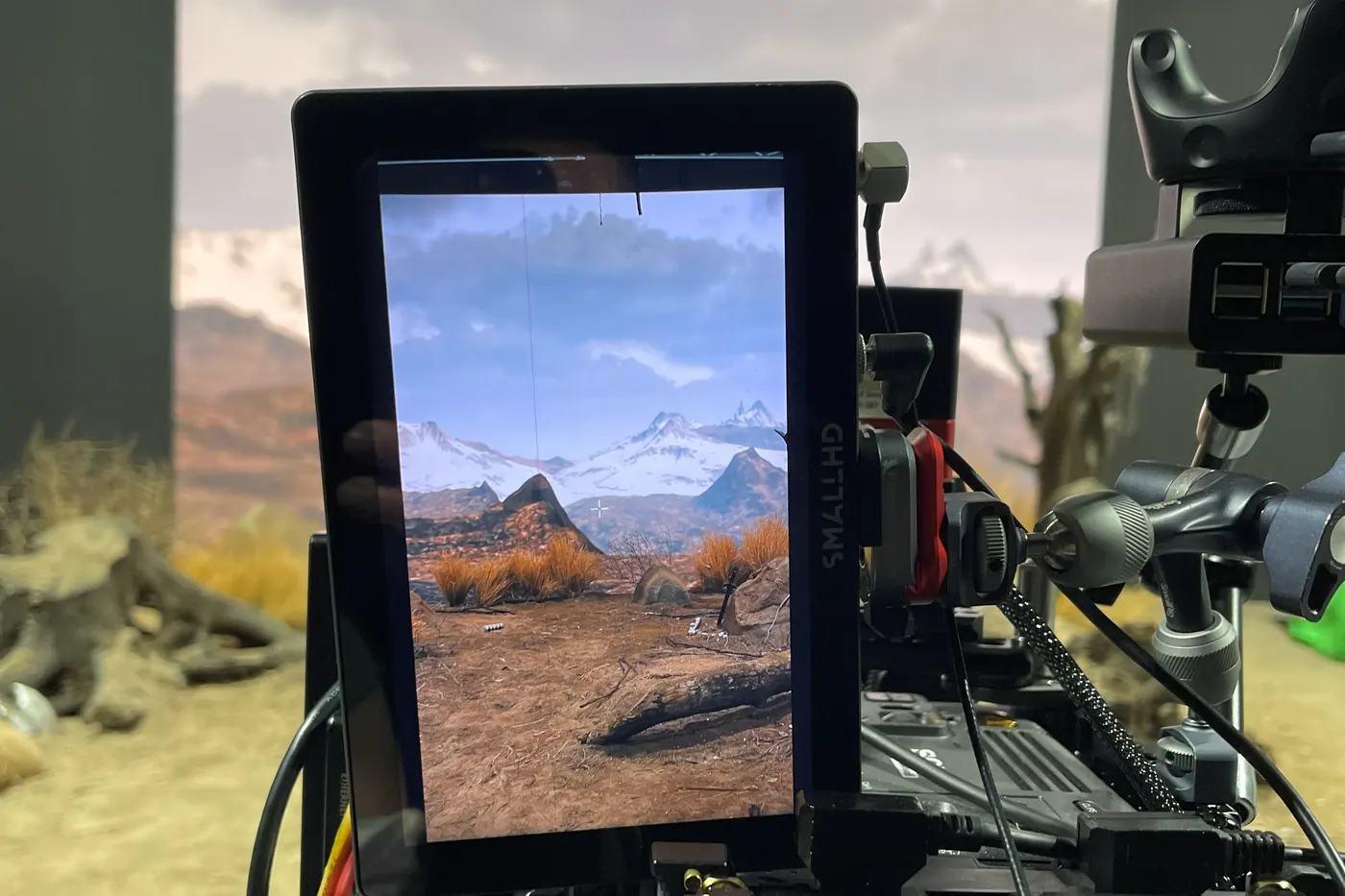
Our main rental wall is the same Gloshine MV Pro 2.6 as our virtual production stage: 7,680 Hz refresh, NovaStar A10s Pro receiving cards and an MX40 Pro processor, configured against moiré and flicker. When ReelShort shot a short drama on it, the set on the floor and the scene on the wall read as one picture in the camera monitor.
The same wall behind a keynote or a product launch means event photos and video without scan lines, at a brightness that does not overexpose the camera.
2. A show that could not stop: two processors live, two on standby
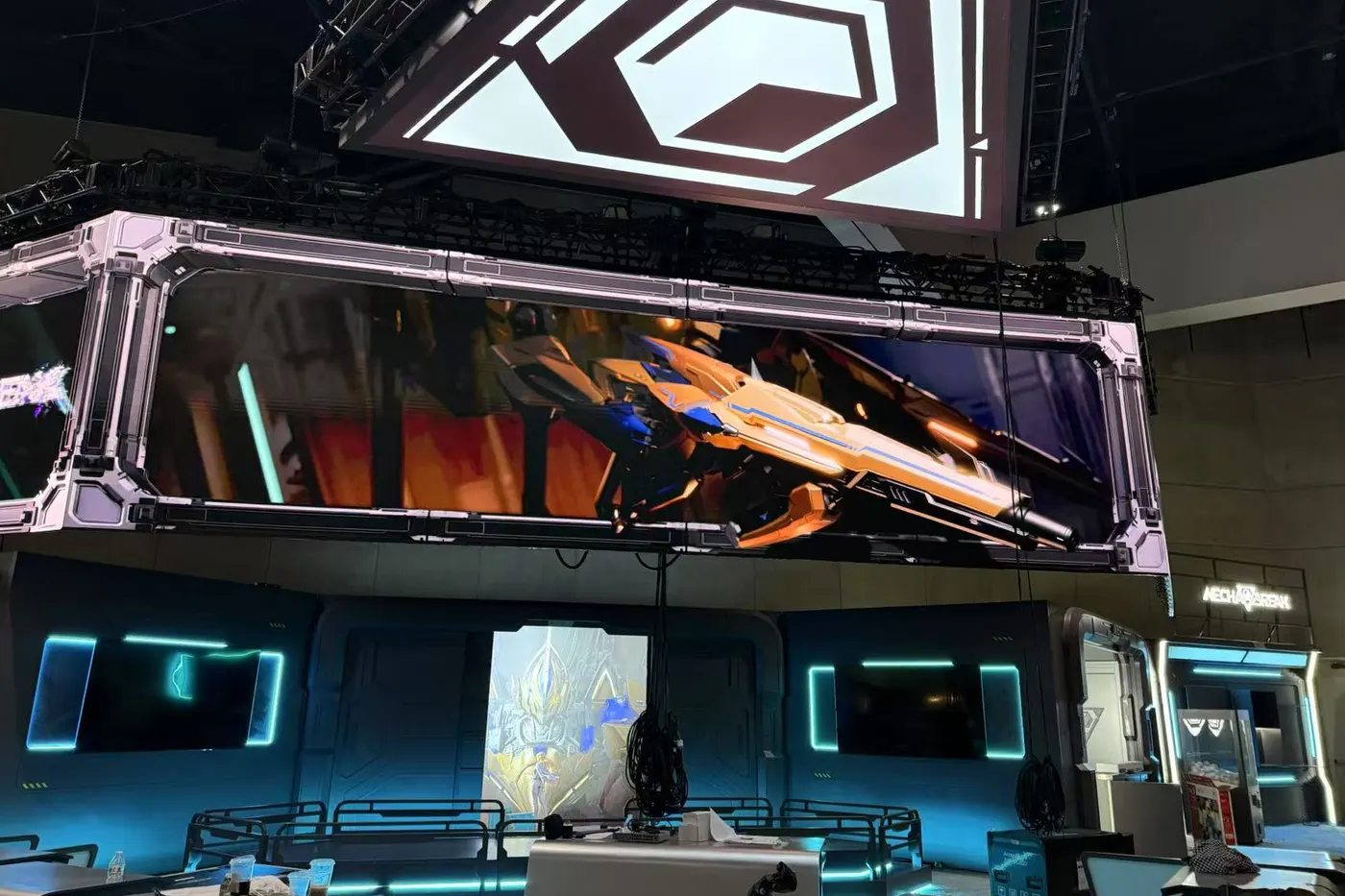
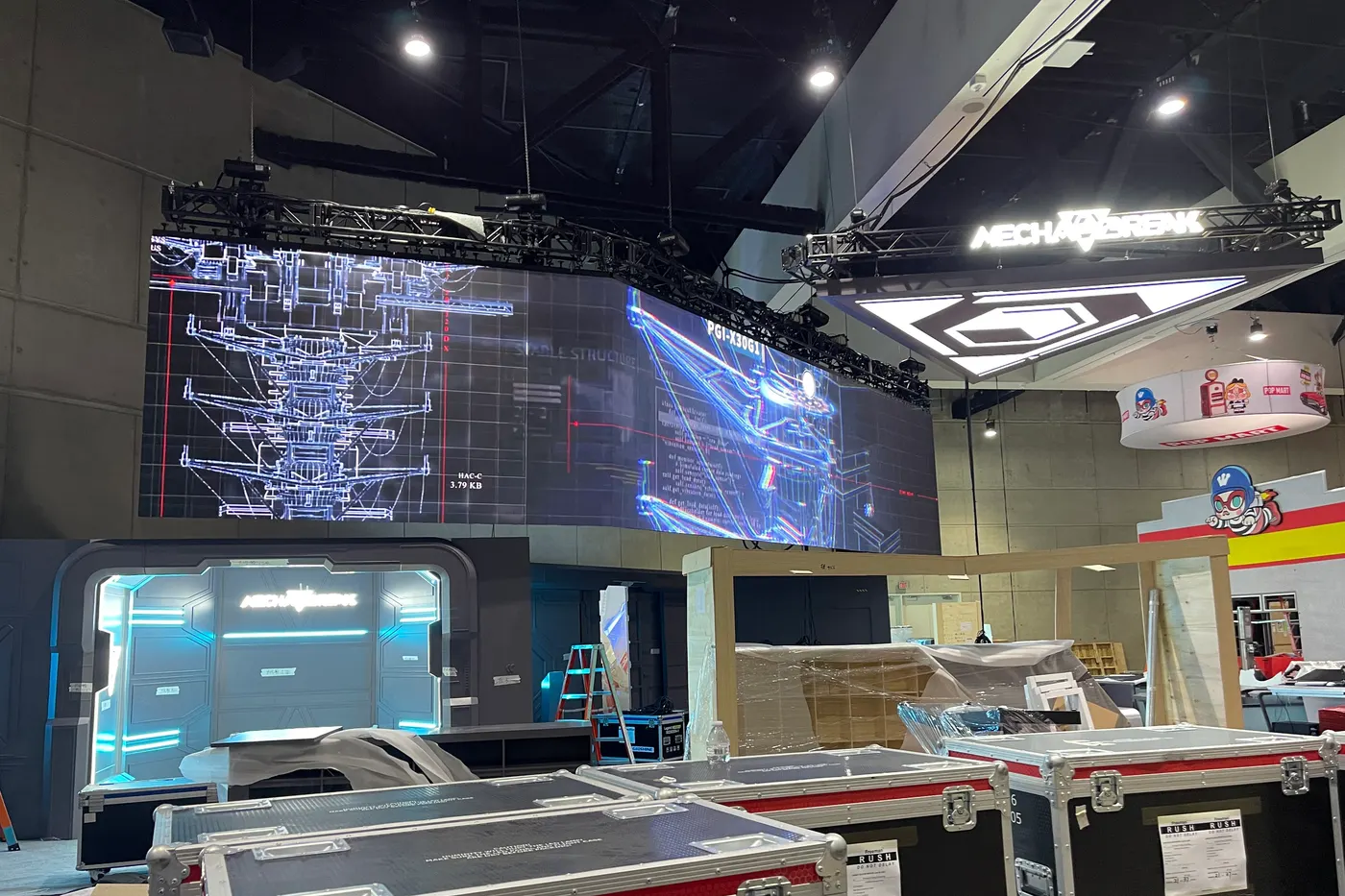
At San Diego Comic-Con 2025 the wall was 288 MV Pro 2.6 cabinets, 9216 × 1152 pixels, flown above a video game booth for the whole show. Four NovaStar MX40 Pro processors ran it over fibre: two drove the wall, two stood by as hot backups.
The cabinets at the folds were bevel-cut from the same production batch as the rest of the wall, so the colour matched where the screens met.
3. Structure and power at 96 feet: WDMS Global, Las Vegas
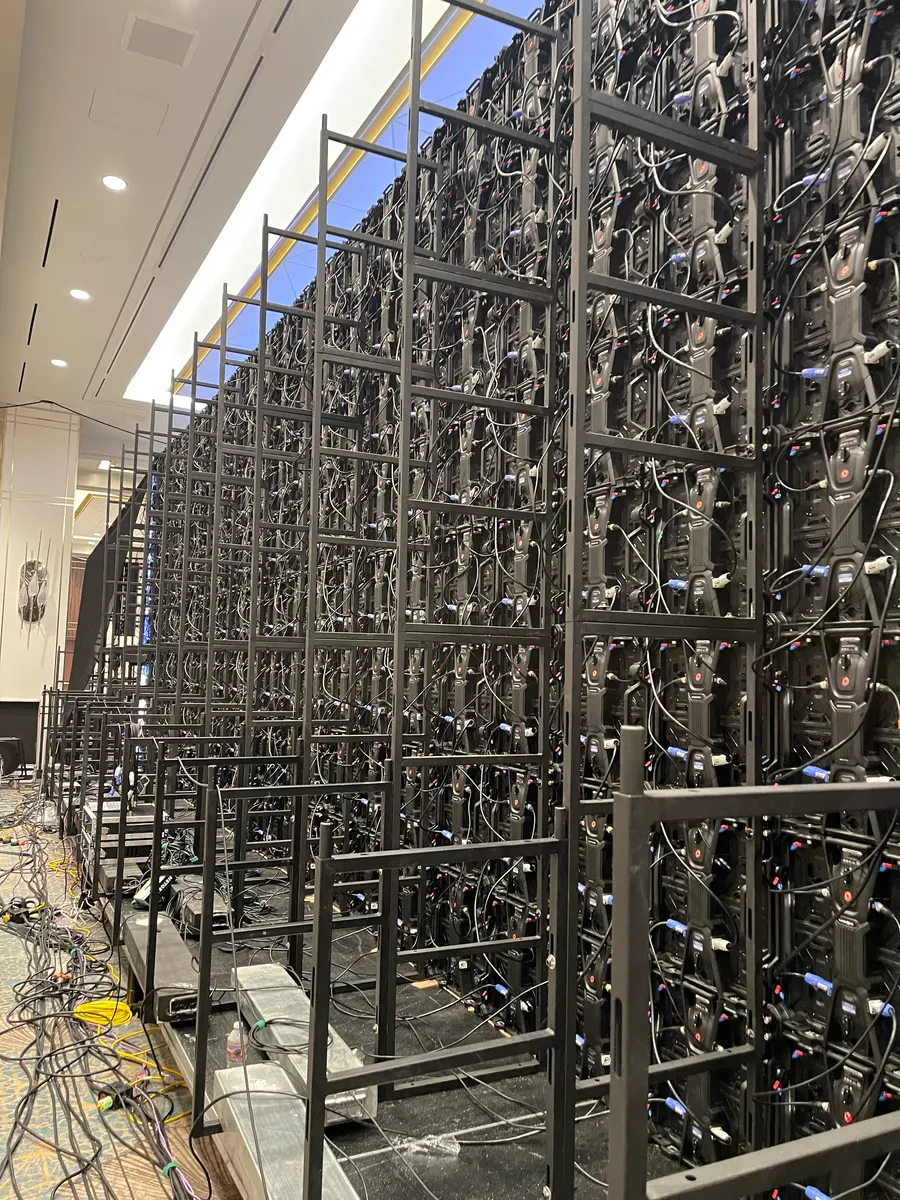
For WDMS Global 2025 about 112 m² of Gloshine P2.6 at 7,680 Hz stood on 28 ground-support frames as three screens across a 96-foot riser, driven by six MX40 Pro processors configured by our NovaStar-certified engineer.
Power came from two 400 A house services, distributed through our own 120/208 V distribution.
What to ask, and what we answer
- Brand and model: Gloshine MV Pro 2.6, a virtual production configuration (Comic-Con 2025)
- Refresh rate: 7,680 Hz (WDMS Global 2025)
- Scan: 16-scan, the build we sell and rent (ReelShort on our stage)
- Processor backup: hot standby on every project; two live and two standby at Comic-Con (Comic-Con 2025)
Comparing quotes
Put the same eight questions to every company you are comparing, and ask for the answers in writing: brand and model, refresh rate, scan, how dead pixels are handled, processor backup and what calibration is included. Two quotes for “a 12-foot P2.6 wall” are only comparable once those match.
We rent with our own crew, who build, calibrate and run the wall, and we can rent the wall on its own for teams who run their own shows.
Questions about renting an LED wall
How much does it cost to rent an LED wall in Los Angeles?
At PixelPro Productions, all-in per 500 × 500 mm cabinet per day: from $90 for Gloshine MR 2.6, $120 for PL 2.6 and $160 for MV Pro 2.6, including the processor, delivery, setup and strike, an on-site technician and calibration. An 11.5 × 6.6 ft wall (28 cabinets) is from $2,520, $3,360 or $4,480 for the first day.
What should I check before renting an LED wall?
More than pitch and size. Ask for the brand and model of the cabinet, the refresh rate, how it looks at low brightness, its scan, how dead pixels are repaired between events, whether processors run on hot standby, and what on-site calibration is included.
What refresh rate does an LED wall need for photos and video?
A wall at 3,840 Hz or 1,920 Hz can look fine to the eye and still show scan lines on camera. PixelPro Productions rents Gloshine MV Pro 2.6 at 7,680 Hz, built for virtual production, so the wall reads as a clean background in photos and video.
What does LED scan mean?
Scan is how many LEDs each driver-chip pin carries. The fewer, the better the picture: the MV Pro 2.6 we sell and rent is a 16-scan build, higher-end walls go to 8 or 4, and common rental P2.6 is often 24- or 32-scan.