Guide · NovaStar · Processors
NovaStar MX40 Pro or MX30?
Published
Count the pixels first. Under 6.5 million with room to spare, the MX30 does it for a third of the price. Over that, or growing, it is the MX40 Pro.
The NovaStar MX40 Pro and MX30 are both 2U COEX controllers set up in NovaStar’s VMP software, and both take genlock for cameras. The difference is size. The MX40 Pro ($8,868) is rated at 9 million pixels on 20 Gigabit Ethernet ports plus 4 × 10G optical, with 4 layers, three HDMI 2.0 inputs, DisplayPort 1.2, 12G-SDI and 12-bit processing, at 95 W. The MX30 ($2,584) is rated at 6.5 million pixels on 10 Gigabit Ethernet ports plus 2 × 10G optical, with 3 layers, one HDMI 2.0 and one HDMI 1.4 input, DisplayPort 1.1, two 3G-SDI and 10-bit processing, at 55 W. Choose the MX30 when the wall stays well under 6.5 million pixels and has one or two sources. Choose the MX40 Pro when the wall is bigger, about to grow, or needs several 4K sources or 12G-SDI at once. PixelPro Productions runs MX40 Pro on its own LED stage, about 6.7 million pixels, and on event walls such as San Diego Comic-Con 2025, and has installed an MX30 on a 5.5-million-pixel church wall in Irvine.
Have a project in mind? Send us the details, or call.
How to choose, in five questions
Both are the same family and the same software. These decide which one:
- How many pixels is the wall? Multiply cabinets by pixels per cabinet. The MX30 is rated at 6.5 million, the MX40 Pro at 9 million. Leave headroom: a wall at 6.3 million is an MX30 on paper and a tight one in practice.
- Will the wall grow? A second MX30 later, plus the work to lock the two together, costs more than buying one MX40 Pro now.
- How many sources at full quality? The MX40 Pro has three HDMI 2.0 inputs, DisplayPort 1.2 and 12G-SDI, and four layers up to 4 × 4K. The MX30 has one HDMI 2.0, one HDMI 1.4, DisplayPort 1.1 and two 3G-SDI, with three layers.
- Cameras or broadcast? Both take genlock. The MX40 Pro adds 12-bit processing and a 12G-SDI input, which matters on a film set or a live broadcast.
- Power and budget: the MX40 Pro draws 95 W and costs $8,868; the MX30 draws 55 W and costs $2,584. Both are 2U and fit a normal rack and circuit.
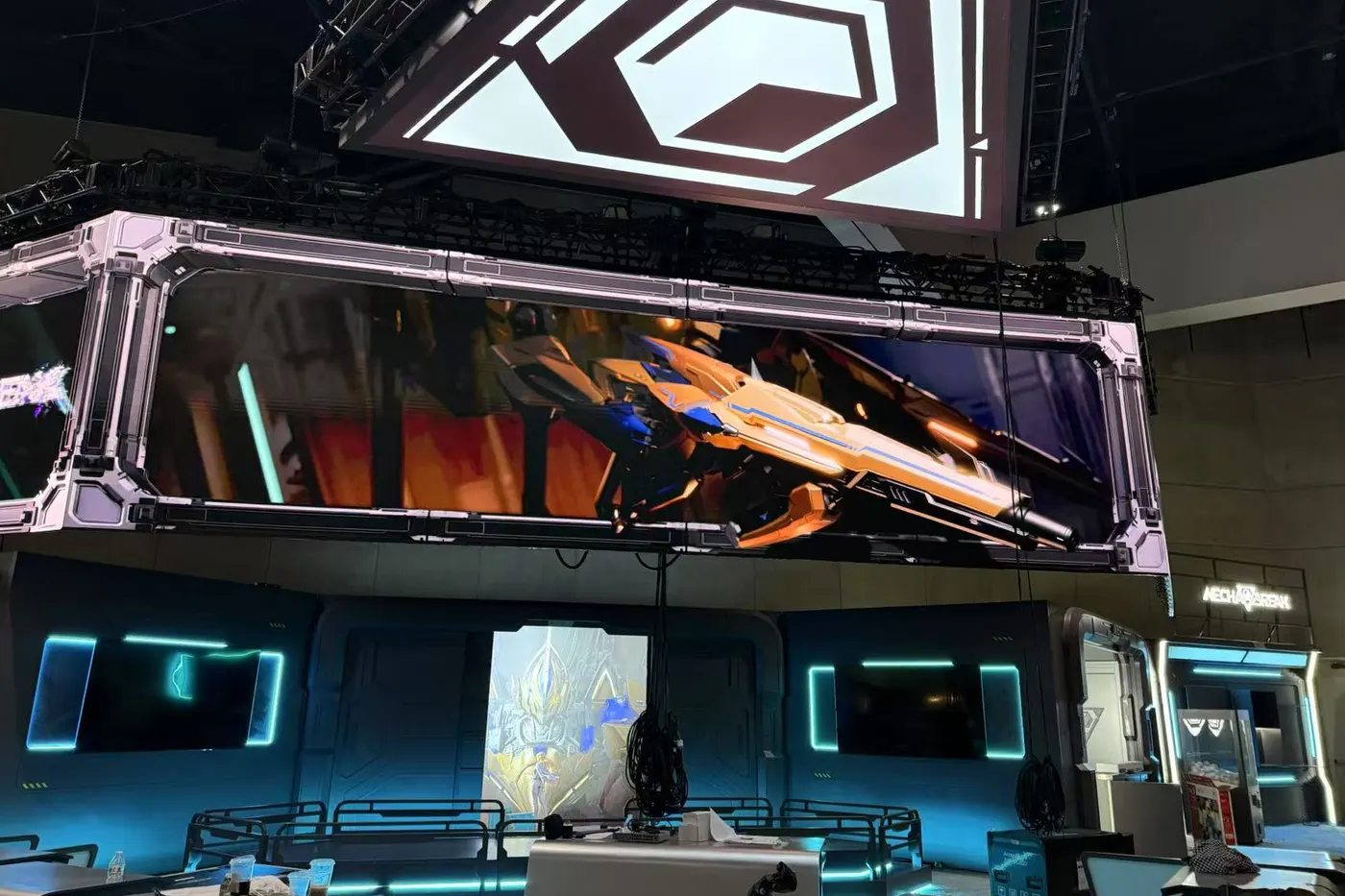
1. Past the rating: San Diego Comic-Con 2025
The flown wall was 288 MV Pro 2.6 cabinets, 9216 × 1152, about 10.6 million pixels: more than one MX40 Pro is rated for. So one MX40 Pro drove the left half, one the right, and a sync generator locked the two so the picture never tore at the seam. Two more MX40 Pro stood by as hot backups, all on fiber.
2. Just over an MX30: our LED stage
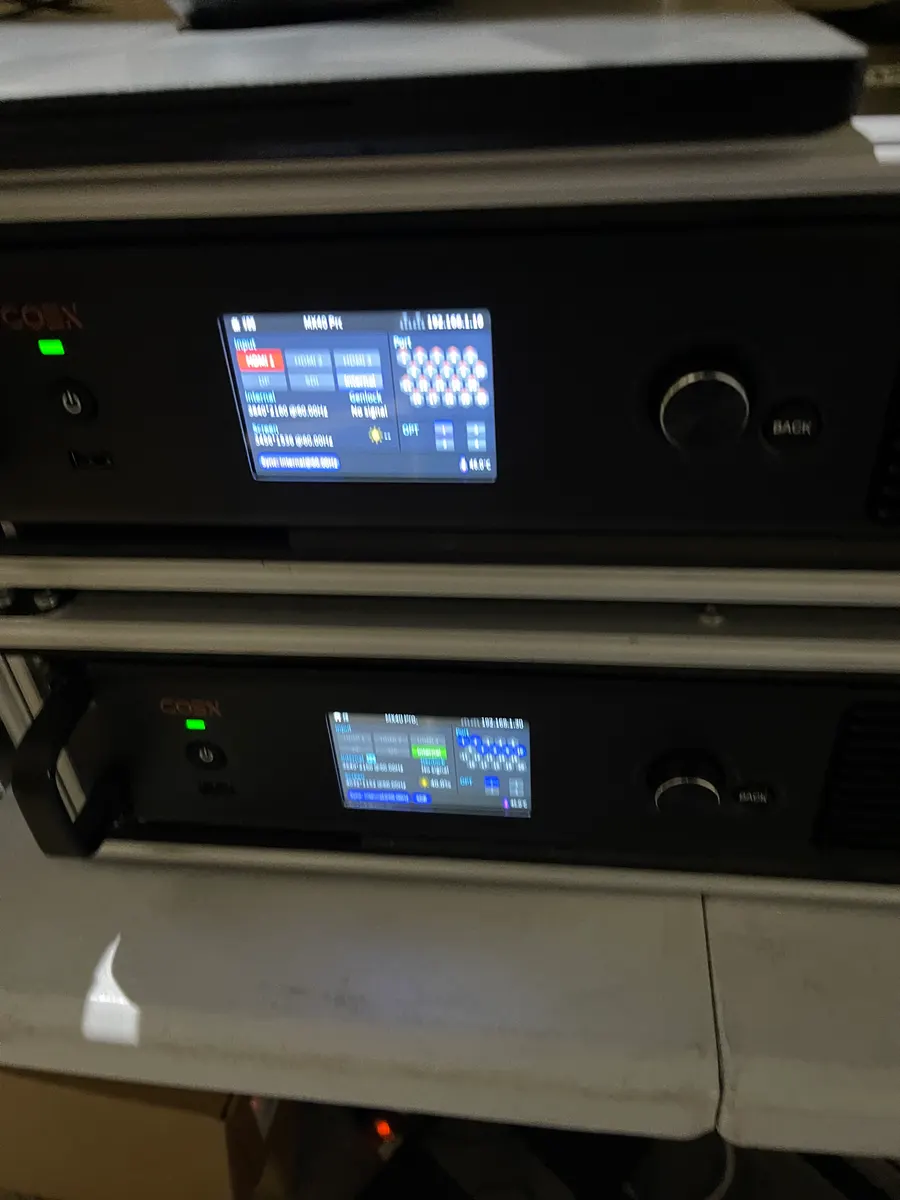
Our virtual production stage is a curved wall 10 m wide and 4.5 m high at a 2.6 mm pitch: about 3,846 × 1,731 pixels, roughly 6.7 million. That is just over the MX30’s 6.5 million, and a camera is always in front of it, so it runs on an MX40 Pro with genlock.
3. Comfortably inside an MX30: a church in Irvine
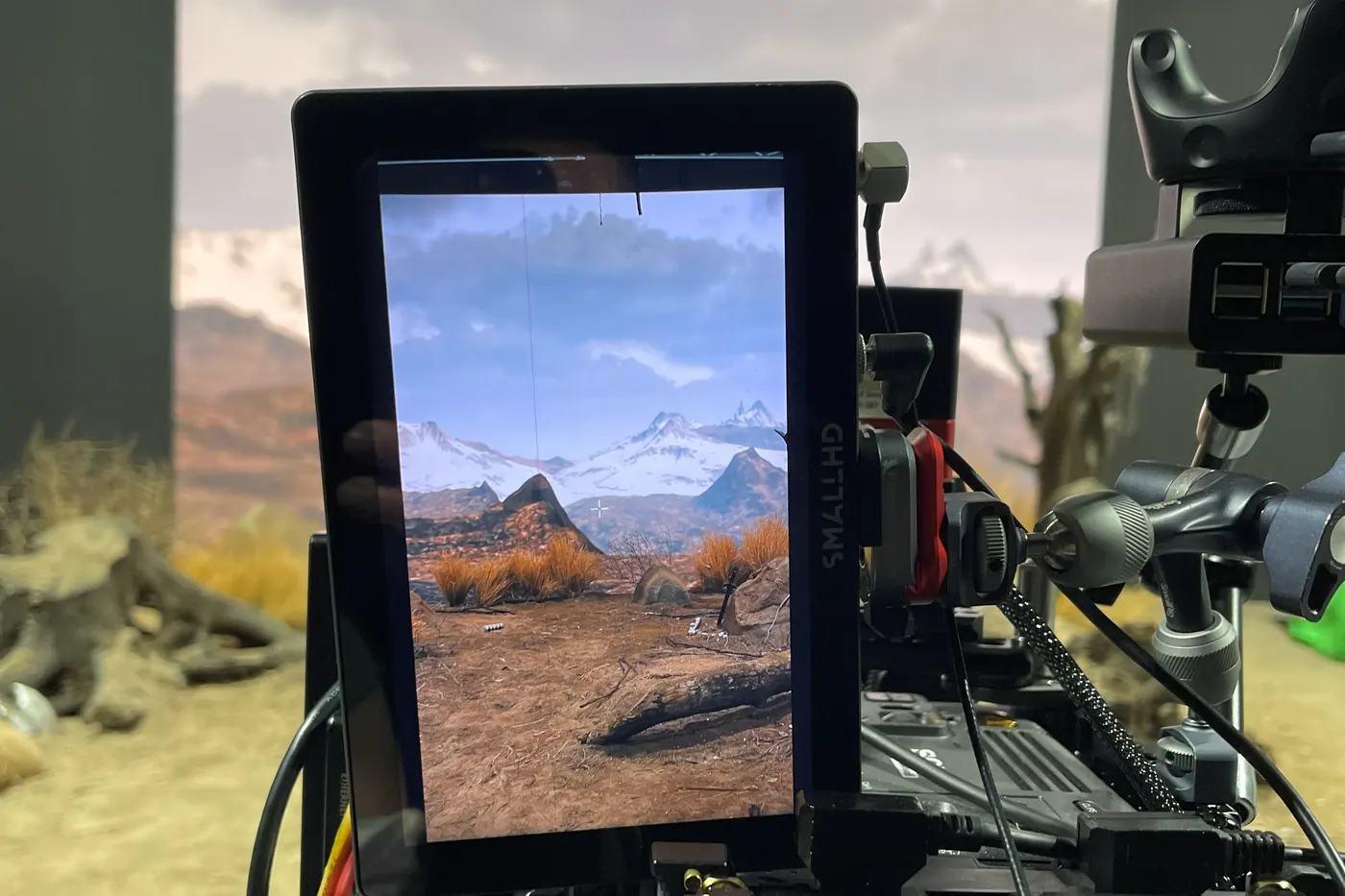
For one of our integrator clients, the main wall of a church in Irvine is 16 × 7 Gloshine P2.5 cabinets of 256 × 192 pixels: 112 cabinets, about 5.5 million pixels. That sits inside the MX30’s 6.5 million with about a million to spare, on a controller that costs under a third of an MX40 Pro.
4. Several walls, one show: WDMS Global 2025
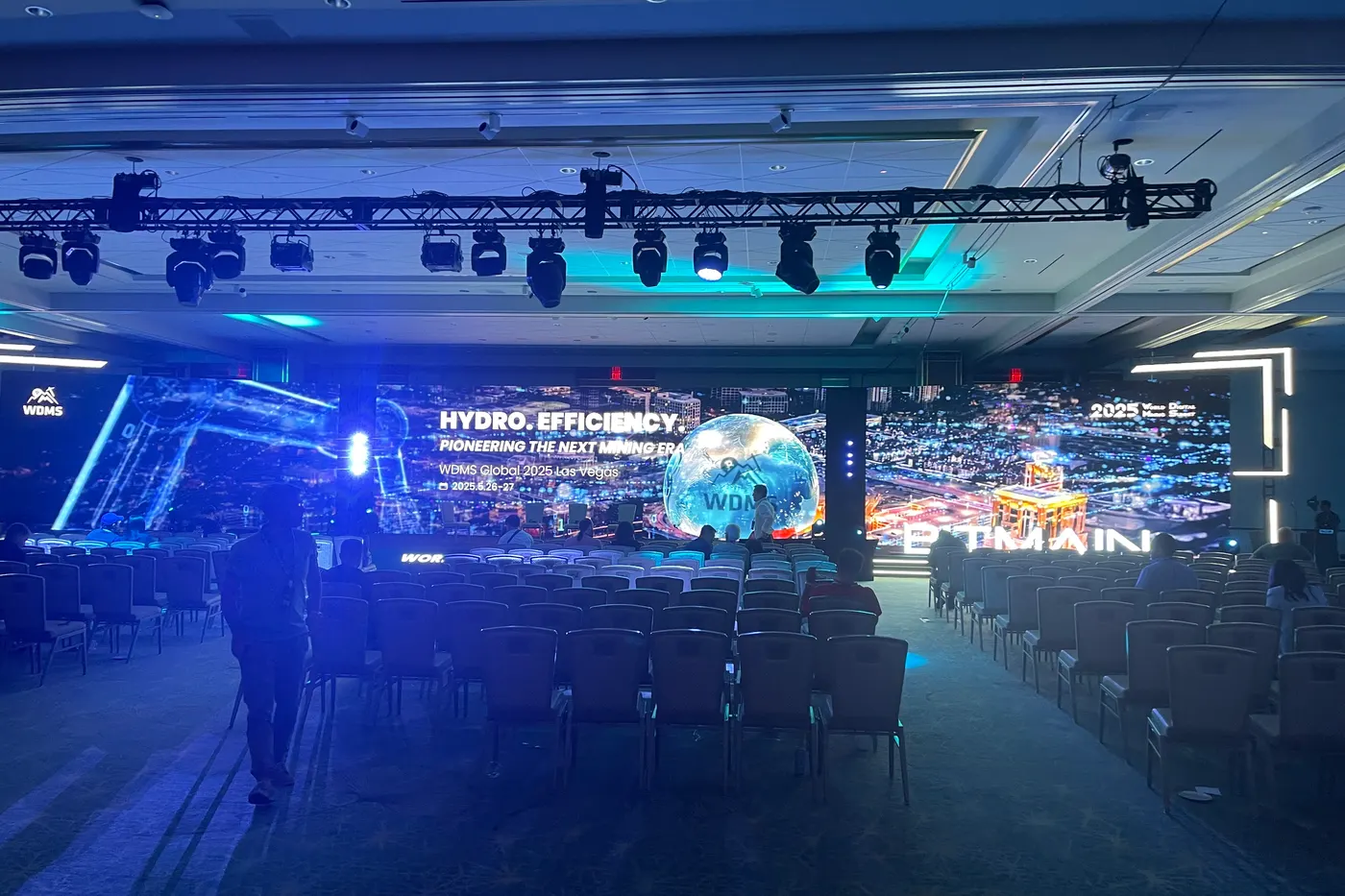
For WDMS Global 2025 at Resorts World Las Vegas we built 448 P2.6 panels as three screens across a 96-foot riser. Six MX40 Pro processors ran them, configured by our NovaStar-certified engineer.
Side by side, from NovaStar’s documents
- Loading capacity: MX40 Pro: 9 million pixels. MX30: 6.5 million (MX40 Pro)
- Outputs: MX40 Pro: 20 × Gigabit Ethernet + 4 × 10G optical. MX30: 10 × Gigabit + 2 × 10G (MX40 Pro)
- Inputs: MX40 Pro: 3 × HDMI 2.0, DP 1.2, 12G-SDI. MX30: HDMI 2.0, HDMI 1.4, DP 1.1, 2 × 3G-SDI (MX30)
- Layers, bit depth: MX40 Pro: 4 layers up to 4 × 4K, 8/10/12-bit. MX30: 3 layers, 8/10-bit (MX40 Pro)
- Genlock: Both: in + loop, bi-level, tri-level, blackburst (MX30)
- Size, weight, power: MX40 Pro: 2U, 7.5 kg, 95 W. MX30: 2U, 7.2 kg, 55 W (MX40 Pro)
- Price: MX40 Pro $8,868, MX30 $2,584 (published MAP) (prices)
Before you order
Figures are NovaStar’s: the MX40 Pro LED Display Controller Specifications and the MX30 Specifications V1.5.0. Check the pixel count with headroom, and each source’s resolution and refresh rate against the inputs above.
Send us the cabinet model, the layout and a list of what plugs in. We will name the controller, and put it in writing, before you buy.
Questions about the MX40 Pro and MX30
How many pixels can a NovaStar MX40 Pro drive?
It is rated at 9 million pixels, on 20 Gigabit Ethernet ports plus 4 × 10G optical. A bigger wall is split across two or more controllers locked together; at San Diego Comic-Con 2025 a 10.6-million-pixel wall ran on two MX40 Pro, one per half, with a sync generator.
Is the MX40 Pro worth it over the MX30?
Only if you need it. Under about 6 million pixels with one or two sources, the MX30 at $2,584 does the job. The MX40 Pro at $8,868 is for walls over that, walls that will grow, or several 4K sources and 12G-SDI at once.
Which is better for a church?
Most sanctuary walls fit an MX30: a church in Irvine runs a 5.5-million-pixel main wall on one. Choose the MX40 Pro if the wall is larger, will be extended, or the service needs several 4K sources on screen at once.
Do they use the same software?
Yes. Both are COEX controllers set up in NovaStar’s VMP, a graphical interface that a new user can find their way around.
Get a quote or order
Price, stock and shipping confirmed within one business day.
